- Use a headset or speakerphone to ensure the sound is clear.
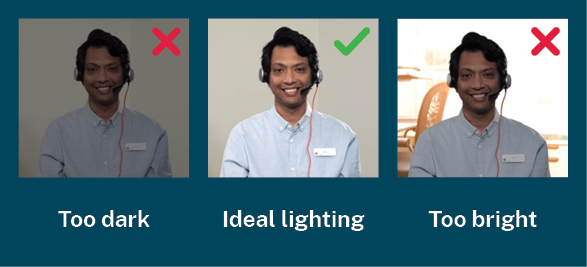
- Make sure you are in a well-lit space. You should be visible on the screen and not in an environment that is too dark or too bright.
- Wherever practical, use artificial light rather than natural light. Close blinds and turn ceiling lights on. Try to avoid having light behind you.
- If you wear glasses, consider the impact glasses can have on glare and reflection. Adjust lighting to minimise this.
Appearance
- Ensure you are dressed professionally, as you would for an in-person consultation. Clearly display your identification and/or wear a uniform to help the consumer recognise you as a clinician.
- Wear clothing with plain colours. Patterns can appear distorted over videoconference.
Positioning
- The camera should be positioned to capture a clear view of all participants in the room or have the functionality to track to the speaker in the room.
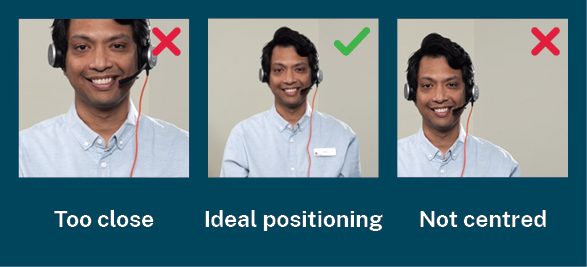
- Position your camera so it is natural for you to look at the lens while the consumer is speaking. Position the camera at, or slightly above, your eye line.
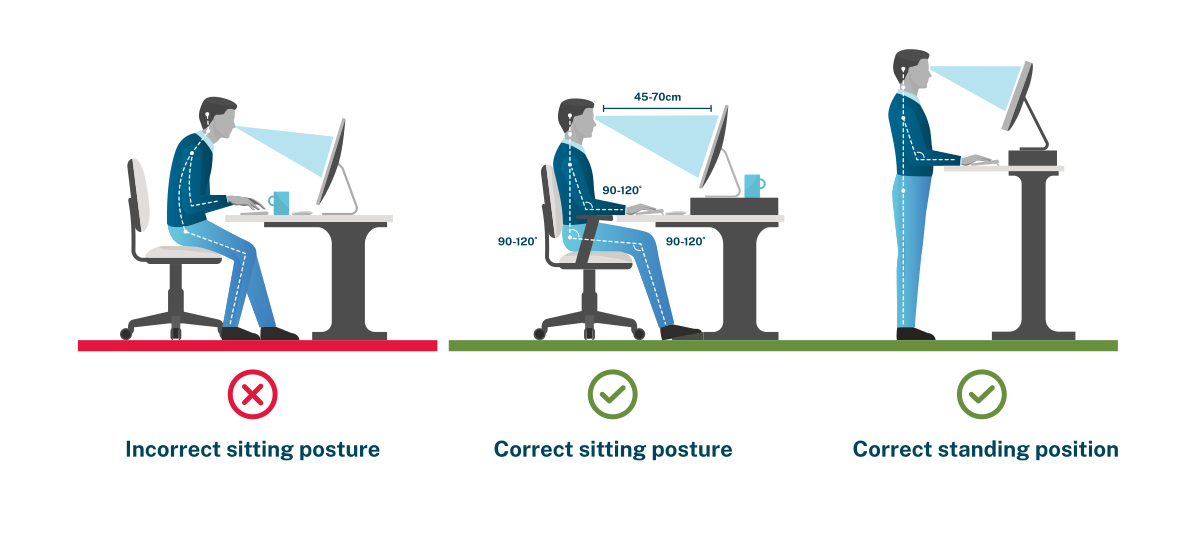
- Set up your workspace to ensure you are in a neutral position. Sitting with feet on the floor and knees over feet, or standing with desk at elbow height, while ensuring a centered head at a comfortable neck angle, will help you appear more attentive.